


 Send Inquiry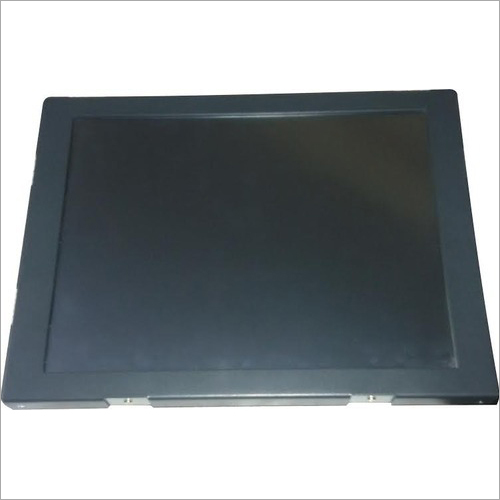
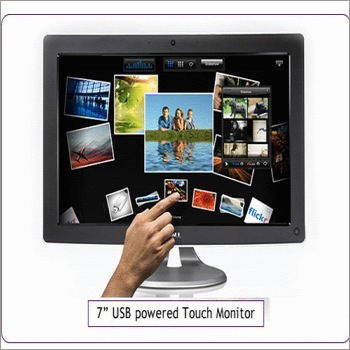
Touch Monitor
19500 INR
Product Details:
- Place of Origin China
- Interface HDMI, USB, VGA
- Warranty Yes
- Type Touch Screen Monitor
- Application Other
- Max Resolution 800x600 Resolution
- Click to View more
X
Touch Monitor Price And Quantity
- 1 Piece
- 19500 INR
Touch Monitor Product Specifications
- Other
- Touch Screen Monitor
- HDMI, USB, VGA
- 800x600 Resolution
- China
- Yes
Touch Monitor Trade Information
- Cash Against Delivery (CAD), Cash in Advance (CID)
- 100 Piece Per Month
- 2 Days
- All India
Product Description
Touch Monitor is an input device mainly used to provide the touch screen facilities to the computer screens etc. It precisely detects the touch and follows instructions due to is property of pressure sensitiveness. It is scratch proof and shows the images in best quality. Moreover, this Touch Monitor is extremely durable, allows simple installation and demands n maintenance.
Main Export Market(s) : Worldwide
Payment Terms : Online
Versatile Connectivity for Modern Workspaces
With HDMI, USB, and VGA interfaces, this touch screen monitor seamlessly connects to computers, laptops, and other devices. This flexibility makes it suitable for offices, retail points, educational settings, and home use. Its straightforward plug-and-play setup minimizes hassle and enhances productivity.
Reliable Quality from Trusted Origins
Manufactured in China and distributed widely in India, this monitor meets robust quality standards. The built-in warranty ensures reliable performance, providing security and ongoing support for businesses and individuals alike.
FAQ's of Touch Monitor:
Q: How do I connect the Touch Screen Monitor to my computer or device?
A: You can connect the monitor using HDMI, USB, or VGA interfaces. Simply choose the cable compatible with your device's port, connect both ends, and the monitor should be recognized automatically. For touch functions, ensure the USB cable is also connected.Q: What are the key benefits of using this Touch Screen Monitor?
A: The primary benefits include responsive touch control, broad compatibility through multiple interfaces, and clear 800x600 resolution. It is ideal for diverse settings such as retail, education, hospitality, and office environments.Q: Where can I purchase this Touch Screen Monitor in India?
A: This monitor is available through authorized dealers, distributors, exporters, importers, manufacturers, retailers, service providers, suppliers, and wholesalers throughout India.Q: What is the process for claiming warranty support?
A: To claim warranty support, contact the outlet from which you purchased the monitor in India, such as the dealer or retailer. Provide your purchase details and a description of the issue, and they will guide you through the warranty process.Q: When should the touch monitor be used instead of a traditional monitor?
A: The touch screen monitor is recommended when you require interactive features, such as direct input, gesture support, or enhanced user engagement, which are not possible with traditional monitors.Q: Is there anything special required for first-time setup or usage?
A: For first-time use, connect both the display (via HDMI or VGA) and the touch function (via USB). Most modern operating systems will automatically install necessary drivers, enabling immediate operation after setup.Tell us about your requirement

Price:
Quantity
Select Unit
- 50
- 100
- 200
- 250
- 500
- 1000+
Additional detail
Mobile number
Email

Other Products in 'Touch Monitors' category


CONTACT US
- Basement Floor, Plot No. 32, Pocket-03, Sector-A5, Narela,Delhi - 110040, India
- Phone : 07971190906
NU-TECH SALES
GST : 07APDPK0290A1ZH
GST : 07APDPK0290A1ZH
- Mr Sanjeev Kumar (CEO)
- Mobile : 07971190906
- sales@industryshoppy.in
PRODUCTS
- Industrial LCD Module
- Industrial Cooling FAN
- Industrial Touch Panel
- Industrial Membrane Keypad
- Resistive Touch Screen
- IR Touch Overlay
- HMIs & PLC Modules
- SAW Surface Wave Touch Screen
- Touch Monitors
- Safety Light Curtains
- Rotary Encoder
- Ac Drive
- Gear Head
- Gear Motor
- Servo Drive & Servo Motor
- Speed Controller
- Protective Sticker
- Temparature Controller
- Color Mark Sensor
- Photoelectric Sensor
- Proximity Sensor
- Contrast Sensor
- Medical Equipment & Sensors
- Slot / Gap / Label Sensor
- Digital Pressure Sensor
- Laser Distance Sensor
- Fibre Optic Sensor
- Inductive Proximity Sensor
- Area Sensor
- Fork Sensor
- Diffuse Sensor
- Magnetic Sensor
- Ultasonic Sensor
- Safety Door Switch
- Door Switch

 Send Inquiry
 Send SMS
 Call Me Free
NU TECH SALES
All Rights Reserved.(Terms of Use)
Developed and Managed by Infocom Network Private Limited.
Developed and Managed by Infocom Network Private Limited.

