


 Send Inquiry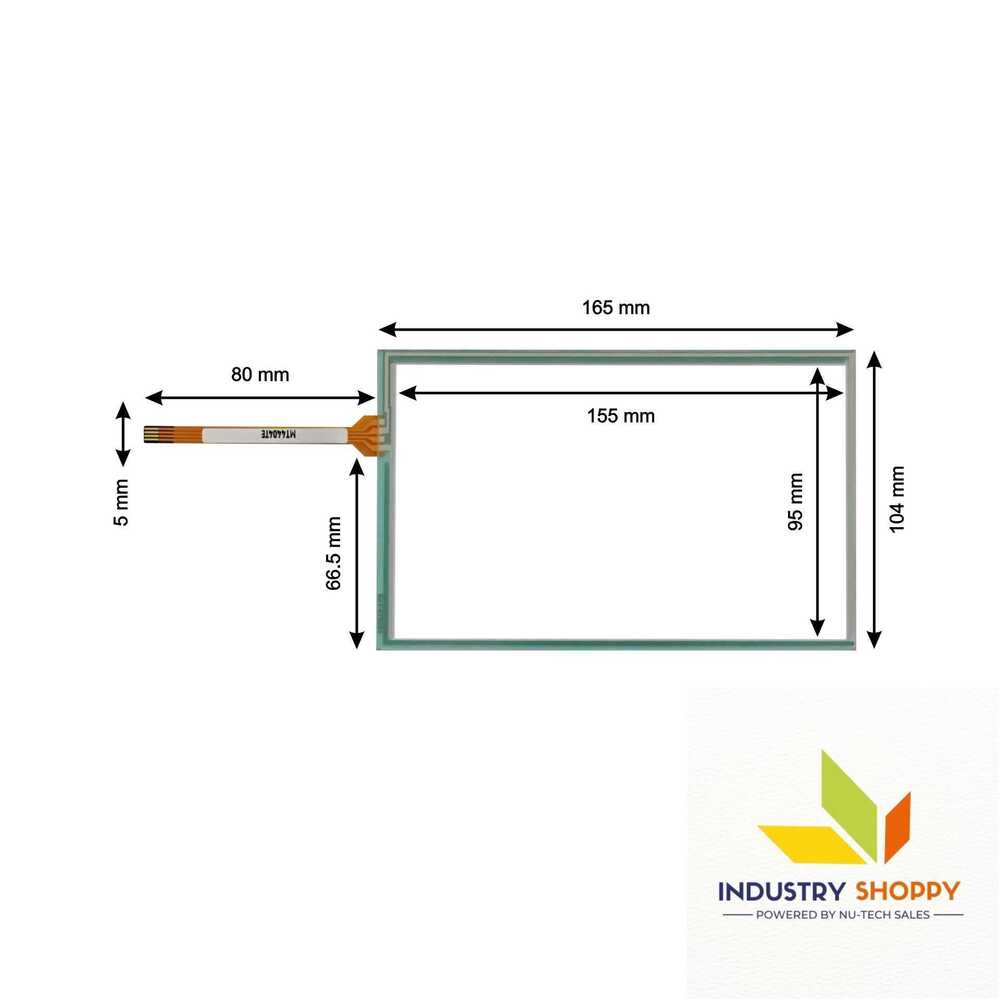
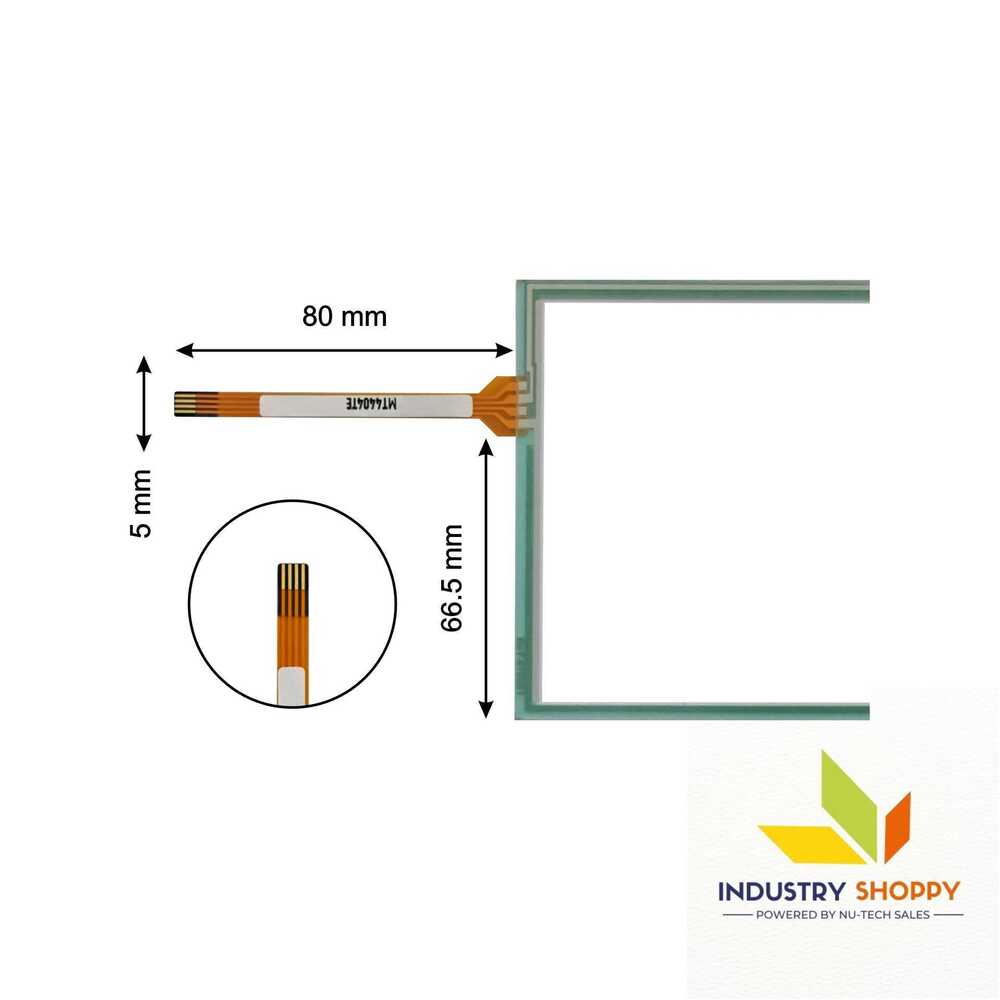
Touch Screen for Kinco MT4404TE HMI Panel
Product Details:
- Display Type Touchscreens
- Usage Industrial and medical Usage
- Product Type Touch Screen Panel
- Size Standard
- Warranty Yes
- Features Robust design, Clear visibility and durability, High efficiency, Easy installation, Long life.
- Material Glass
- Click to View more
Touch Screen for Kinco MT4404TE HMI Panel Price And Quantity
- 4000.0 INR/Piece
- 100 Piece
Touch Screen for Kinco MT4404TE HMI Panel Product Specifications
- Yes
- Standard
- Robust design, Clear visibility and durability, High efficiency, Easy installation, Long life.
- Touch Screen Panel
- Touchscreens
- Glass
- Industrial and medical Usage
Touch Screen for Kinco MT4404TE HMI Panel Trade Information
- Paypal, Cash in Advance (CID), Cheque, Western Union
- 500 Piece Per Month
- 2 Days
- Asia, Australia, Central America, North America, South America, Eastern Europe, Western Europe, Middle East, Africa
- All India
Product Description
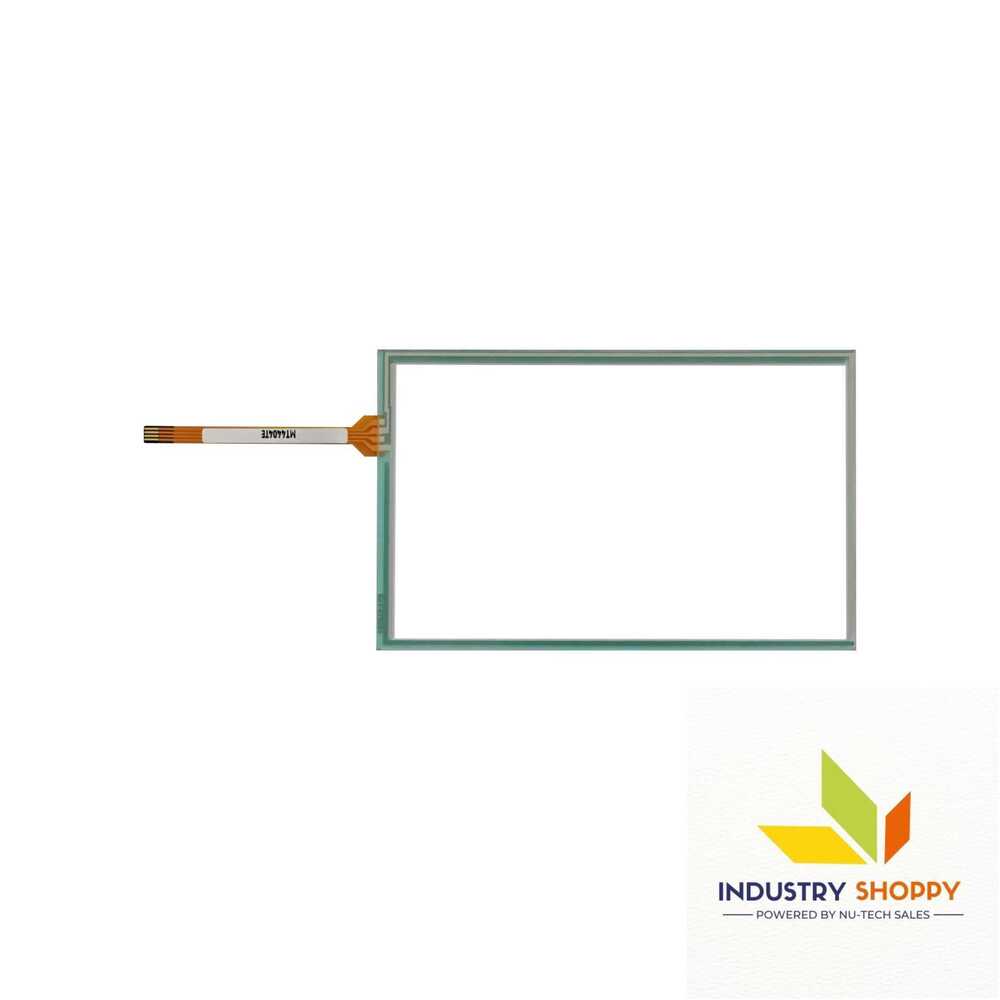
Touch Screen for Kinco MT4404TE HMI Panel
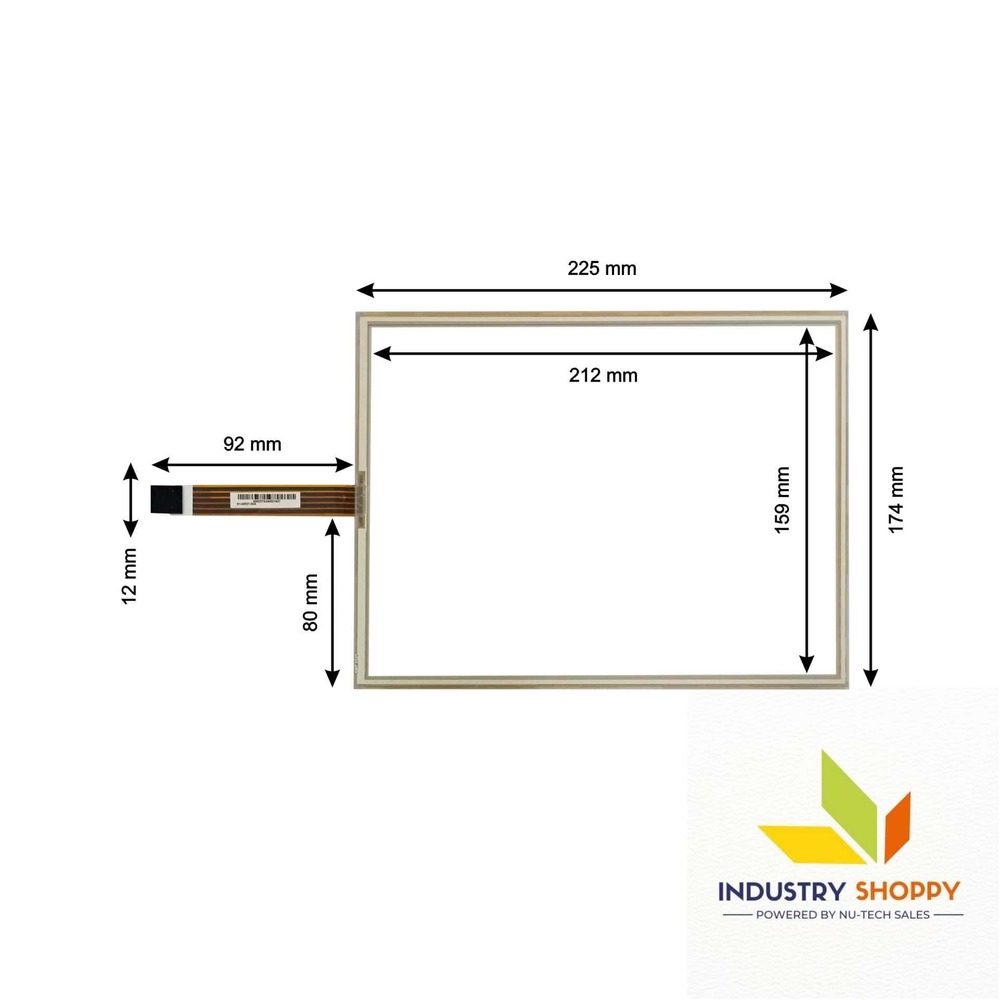
The Touch Screen for Kinco MT4404TE HMI Operator Panel is a compact and reliable touch panel designed for a wide range of industrial and embedded applications. With dimensions of 165 mm in length and 104 mm in breadth, it features an active area of 15595 mm, providing precise touch input and efficient operation.
The panel includes an 80 mm long and 5 mm wide wire, offering flexibility for easy installation. It utilizes a 4-pin interface, ensuring straightforward connectivity with compatible systems. The absence of a pre-installed connector allows for customized integration, catering to specific application requirements.
Built for durability and precision, the MT4404TE is an excellent choice for projects needing compact design, dependable performance, and adaptable connectivity options.
| Model Number | MT4404TE |
| Make | NTS |
| Length | 165 mm |
| Breadth | 104 mm |
| Active Area | 15595 |
| Wire length | 80 mm |
| Wire width | 05 mm |
| Connector | |
| Number of Pins | 04 |
Please Note: Make sure to connect the wire safely without damaging the pins of the touch. Before removing the protective film, please make sure your touch screen is working perfectly and calibrated. Please handle the touch screen with caution as it is a fragile product.
Caution: Open the parcel with utmost care. We advise to make a video of the opening of the box. In case of physical damage, we have a video evidence for claim & replacement.
Engineered for Industrial Applications
This touchscreen is specifically crafted for the Kinco MT4404TE HMI Panel, catering to a range of industrial environments. Built to withstand rigorous use, it promises sustained performance and resilience, making it an essential component for machinery operators who demand reliability and clarity from their interfaces.
Practical Installation and Long-Lasting Build
The panel is designed for straightforward and rapid installation, minimizing downtime during setup or replacement. Its glass material not only ensures excellent visibility but also guarantees long-lasting service life, reducing the need for frequent maintenance or replacements.
FAQ's of Touch Screen for Kinco MT4404TE HMI Panel:
Q: How do I install the Touch Screen for the Kinco MT4404TE HMI Panel?
A: The touchscreen is engineered for easy installation. Simply follow the panel's wiring and mounting instructions provided in the user manual. If you need further assistance, dealers and service providers can offer on-site support.Q: What features make this touchscreen suitable for industrial environments?
A: This product boasts a robust design, high efficiency, clear visibility, and durability. Its glass construction ensures it withstands harsh industrial conditions, while the long life and warranty provide added security for industrial usage.Q: When should I consider replacing the touchscreen on my HMI panel?
A: Replacement is recommended if you experience reduced sensitivity, visibility issues, or physical damage to the screen. Thanks to the long lifespan and warranty, replacements should be infrequent, but regular inspection is advised to maintain performance.Q: Where can I purchase this touchscreen for the Kinco MT4404TE?
A: The touchscreen is available through authorized dealers, distributors, retailers, and wholesalers, primarily based in China but also exported globally. You can also contact manufacturers and service providers directly for bulk or customized orders.Q: What is the process for claiming the warranty on this product?
A: To claim the warranty, reach out to your supplier or the manufacturer with your purchase details and a description of the issue. The authorized service provider will guide you through the validation and replacement or repair process as per warranty terms.Q: How does using this touchscreen benefit industrial operations?
A: Utilizing this high-efficiency, durable touchscreen enhances operational productivity by ensuring intuitive control, decreased downtime due to maintenance, and long-term reliability, ultimately supporting consistent industrial workflows.Q: What are the recommended usage guidelines to maintain the touch screen's durability?
A: It is advisable to keep the screen clean and protected from excessive moisture, dust, and strong impacts. Use appropriate cleaning agents and avoid using tools that might scratch the glass for long-term performance.
Price:
- 50
- 100
- 200
- 250
- 500
- 1000+

Other Products in 'Industrial Touch Panel' category

- Basement Floor, Plot No. 32, Pocket-03, Sector-A5, Narela,Delhi - 110040, India
- Phone : 07971190906
GST : 07APDPK0290A1ZH
- Mr Sanjeev Kumar (CEO)
- Mobile : 07971190906
- sales@industryshoppy.in
- Industrial LCD Module
- Industrial Cooling FAN
- Industrial Touch Panel
- Industrial Membrane Keypad
- Resistive Touch Screen
- IR Touch Overlay
- HMIs & PLC Modules
- SAW Surface Wave Touch Screen
- Touch Monitors
- Safety Light Curtains
- Rotary Encoder
- Ac Drive
- Gear Head
- Gear Motor
- Servo Drive & Servo Motor
- Speed Controller
- Protective Sticker
- Temparature Controller
- Color Mark Sensor
- Photoelectric Sensor
- Proximity Sensor
- Contrast Sensor
- Medical Equipment & Sensors
- Slot / Gap / Label Sensor
- Digital Pressure Sensor
- Laser Distance Sensor
- Fibre Optic Sensor
- Inductive Proximity Sensor
- Area Sensor
- Fork Sensor
- Diffuse Sensor
- Magnetic Sensor
- Ultasonic Sensor
- Safety Door Switch
- Door Switch

 Send Inquiry
 Send SMS
 Call Me Free
Developed and Managed by Infocom Network Private Limited.

