


 Send Inquiry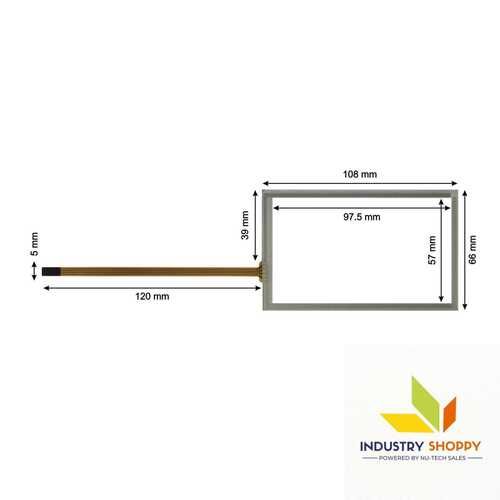
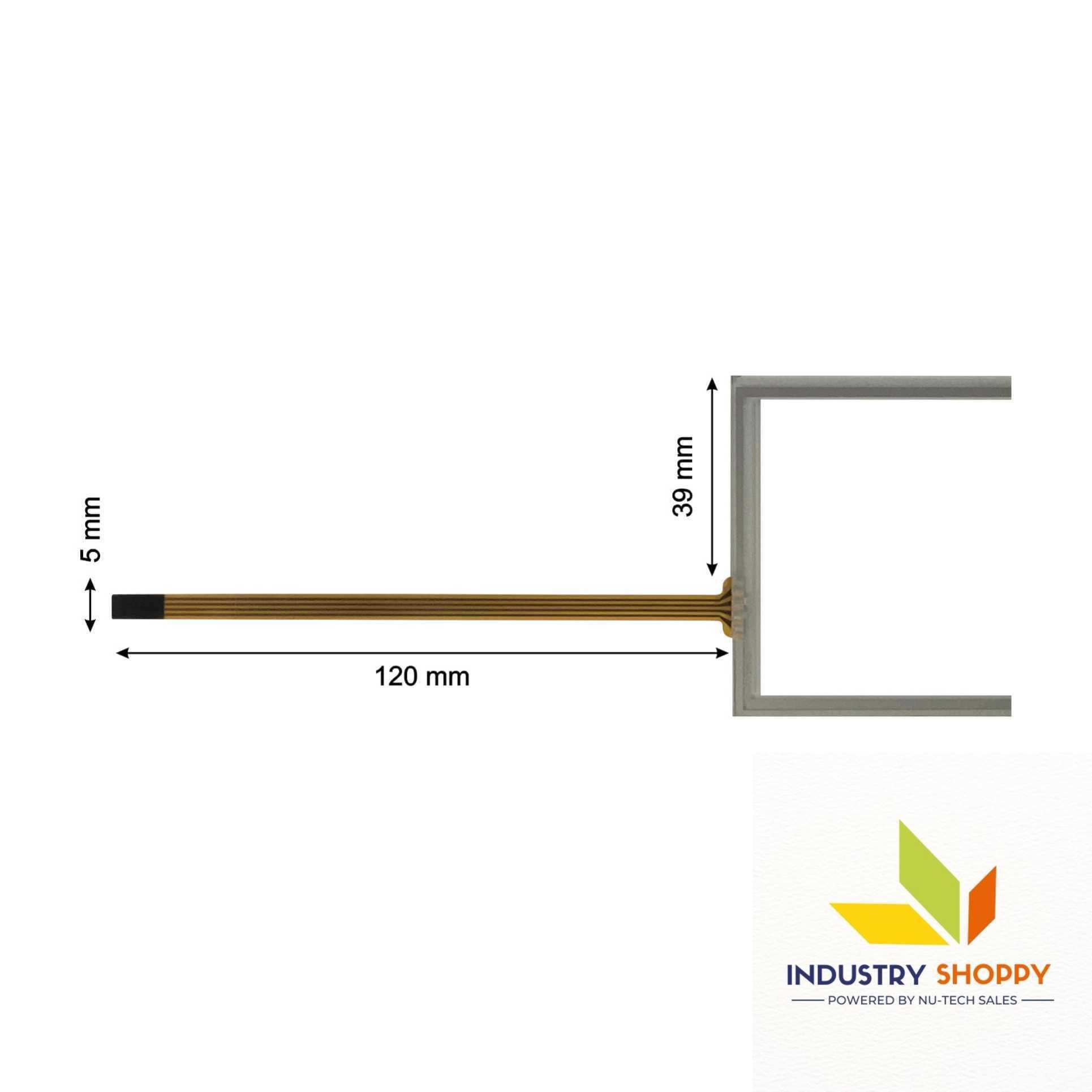
Touch Screen for KTP-400 Basic
2650.0 INR/Piece
Product Details:
- Display Type Touchscreens
- Usage Industrial And Medical Usage
- Product Type Touch Screen Panel
- Size Standard
- Warranty Yes
- Features Robust design, Clear visibility and durability, High efficiency, Easy installation
- Material Glass
- Click to View more
X
Touch Screen for KTP-400 Basic Price And Quantity
- 100 Piece
- 2650.0 INR/Piece
Touch Screen for KTP-400 Basic Product Specifications
- Industrial And Medical Usage
- Yes
- Standard
- Touch Screen Panel
- Robust design, Clear visibility and durability, High efficiency, Easy installation
- Touchscreens
- Glass
Touch Screen for KTP-400 Basic Trade Information
- Cash Advance (CA), Cash in Advance (CID), Telegraphic Transfer (T/T), Western Union, Paypal
- 500 Piece Per Month
- 2 Days
Product Description
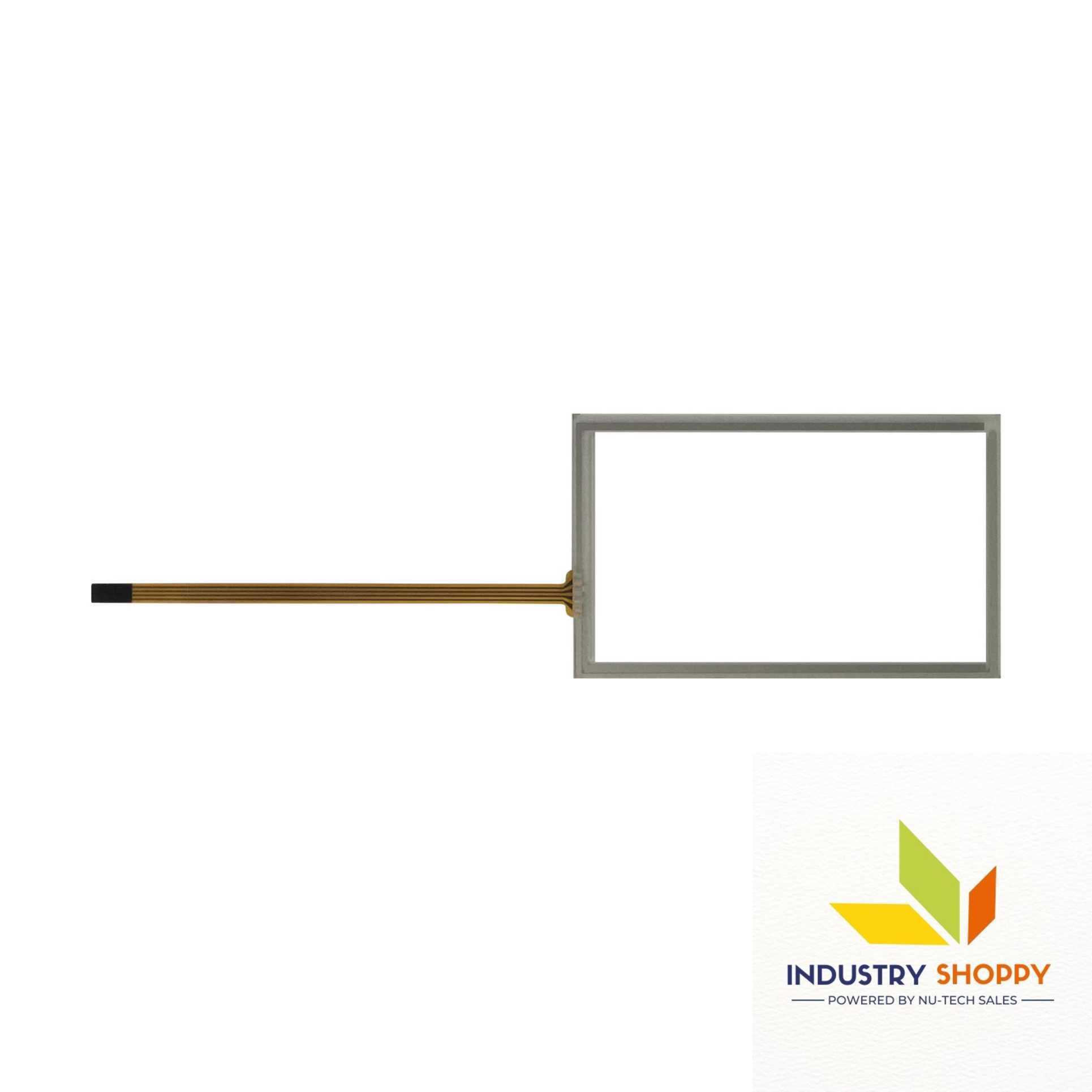
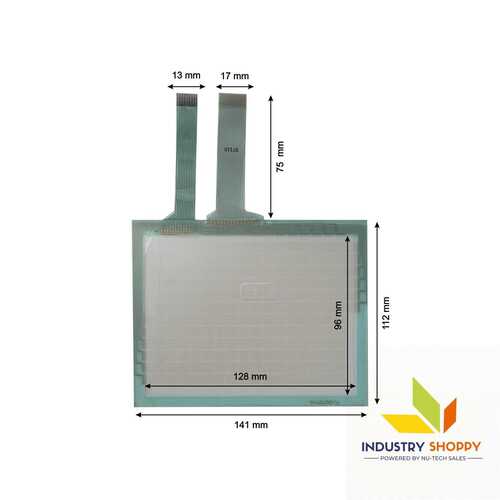
This touch is compatible for the Siemens KTP-400 Basic (KTP400 Basic) HMI . It will work as a plug and play device.
| Model Number | KTP-400 Basic |
| Make | Compatible |
| Length | 108 mm |
| Breadth | 66 mm |
| Active Area | 97.557 mm |
| Wire length | 120 mm |
| Wire width | 5 mm |
| Connector | |
| Number of Pins | 4 |
Please Note: Make sure to connect the wire safely without damaging the pins of the touch. Before removing the protective film, please make sure your touch screen is working perfectly and calibrated. Please handle the touch screen with caution as it is a fragile product.
Open the parcel carefully. We advise to make a video of the opening of the box. In case of physical damage, we have a video evidence for claim & replacement.
Engineered for Industrial Excellence
This touchscreen is meticulously engineered to withstand challenging industrial settings, providing reliable and consistent performance over time. Its robust build ensures longevity and minimal maintenance, making it ideal for continuous operation.
Seamless Installation and Integration
With its standard size, the Touch Screen for KTP-400 Basic easily fits into existing systems. The installation process is straightforward, minimizing downtime and allowing for efficient upgrades or replacements in your industrial workflow.
Clear Visibility and Responsive Control
Enjoy superior clarity with the high-grade glass surface, which not only delivers crisp visuals but also guarantees responsive and accurate touch inputs for a streamlined user experience in any industrial application.
FAQ's of Touch Screen for KTP-400 Basic:
Q: How do I install the Touch Screen for KTP-400 Basic in industrial equipment?
A: Installation is straightforward due to its standard size design. Carefully follow the manufacturer's guidelines to secure the screen, connect the interface cables, and properly calibrate for optimal touch sensitivity.Q: What makes the KTP-400 Basic touchscreen suitable for industrial environments?
A: Its robust glass construction, combined with features like clear visibility, enhanced durability, and high efficiency, make it highly reliable for demanding industrial settings where longevity and consistent performance are essential.Q: When should I consider replacing the touch screen on my KTP-400 Basic panel?
A: Replacement is recommended if you notice diminished touch responsiveness, cracks, or a decrease in display clarity, as these may affect overall productivity and operational safety. Use the warranty or consult your supplier for guidance.Q: Where can I purchase the Touch Screen for KTP-400 Basic?
A: You can obtain this touchscreen from authorized dealers, distributors, exporters, importers, and suppliers in China. Many manufacturers and wholesalers also provide global shipping and support.Q: What is the process for claiming warranty support for this product?
A: To claim warranty, contact your point of purchase with the product details, purchase proof, and description of the issue. The supplier or manufacturer will guide you through the replacement or repair process under warranty terms.Q: How should I use and maintain the touchscreen to ensure longevity?
A: Regularly clean the glass surface with a soft, dry cloth and avoid harsh chemicals. Prevent exposure to extreme conditions. Following these practices, alongside correct usage, preserves both the functionality and lifespan of the touchscreen.Q: What are the main benefits of choosing this touchscreen for industrial use?
A: Choosing this touchscreen delivers robust performance, clear display, easy integration, and dependable durability. It streamlines operations, reduces downtime, and ensures your industrial systems remain efficient and reliable.Tell us about your requirement

Price:
Quantity
Select Unit
- 50
- 100
- 200
- 250
- 500
- 1000+
Additional detail
Mobile number
Email

Other Products in 'Industrial Touch Panel' category

CONTACT US
- Basement Floor, Plot No. 32, Pocket-03, Sector-A5, Narela,Delhi - 110040, India
- Phone : 07971190906
NU-TECH SALES
GST : 07APDPK0290A1ZH
GST : 07APDPK0290A1ZH
- Mr Sanjeev Kumar (CEO)
- Mobile : 07971190906
- sales@industryshoppy.in
PRODUCTS
- Industrial LCD Module
- Industrial Cooling FAN
- Industrial Touch Panel
- Industrial Membrane Keypad
- Resistive Touch Screen
- IR Touch Overlay
- HMIs & PLC Modules
- SAW Surface Wave Touch Screen
- Touch Monitors
- Safety Light Curtains
- Rotary Encoder
- Ac Drive
- Gear Head
- Gear Motor
- Servo Drive & Servo Motor
- Speed Controller
- Protective Sticker
- Temparature Controller
- Color Mark Sensor
- Photoelectric Sensor
- Proximity Sensor
- Contrast Sensor
- Medical Equipment & Sensors
- Slot / Gap / Label Sensor
- Digital Pressure Sensor
- Laser Distance Sensor
- Fibre Optic Sensor
- Inductive Proximity Sensor
- Area Sensor
- Fork Sensor
- Diffuse Sensor
- Magnetic Sensor
- Ultasonic Sensor
- Safety Door Switch
- Door Switch

 Send Inquiry
 Send SMS
NU TECH SALES
All Rights Reserved.(Terms of Use)
Developed and Managed by Infocom Network Private Limited.
Developed and Managed by Infocom Network Private Limited.

