


 Send Inquiry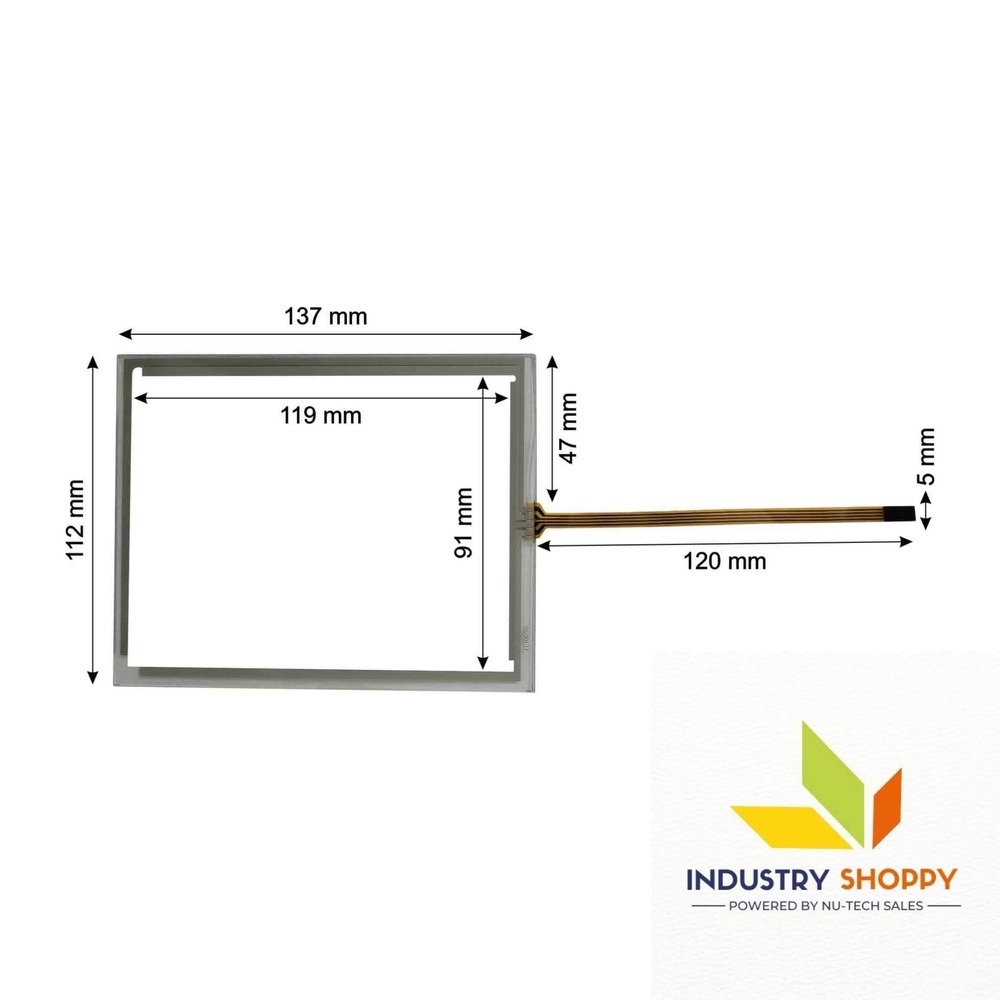
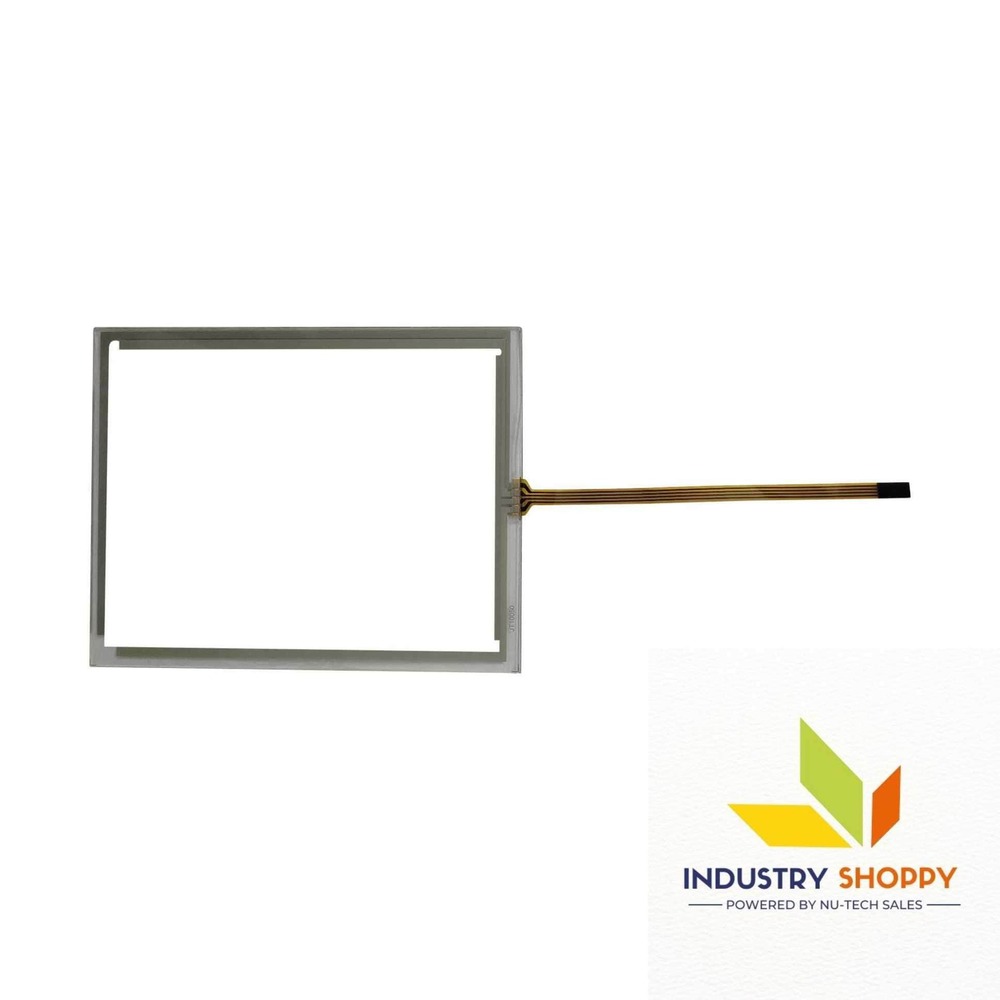
Touch Screen for Siemens TP177B Mono DP HMI
Product Details:
- Display Type Touchscreens
- Usage Industrial and medical Usage
- Product Type Touch Screen Panel
- Application Industrial
- Size Standard
- Warranty Yes
- Material Glass
- Click to View more
Touch Screen for Siemens TP177B Mono DP HMI Price And Quantity
- 100 Piece
- 3850.0 INR/Piece
Touch Screen for Siemens TP177B Mono DP HMI Product Specifications
- Touchscreens
- Glass
- Yes
- Standard
- Industrial
- Robust design, Clear visibility and durability, High efficiency, Easy installation, Long life.
- Touch Screen Panel
- Industrial and medical Usage
Touch Screen for Siemens TP177B Mono DP HMI Trade Information
- Paypal, Cash in Advance (CID), Cheque, Western Union
- 500 Piece Per Month
- 2 Days
- Asia, Australia, Central America, North America, South America, Eastern Europe, Western Europe, Middle East, Africa
- All India
Product Description
Touch Screen for Siemens TP177B Mono DP HMI
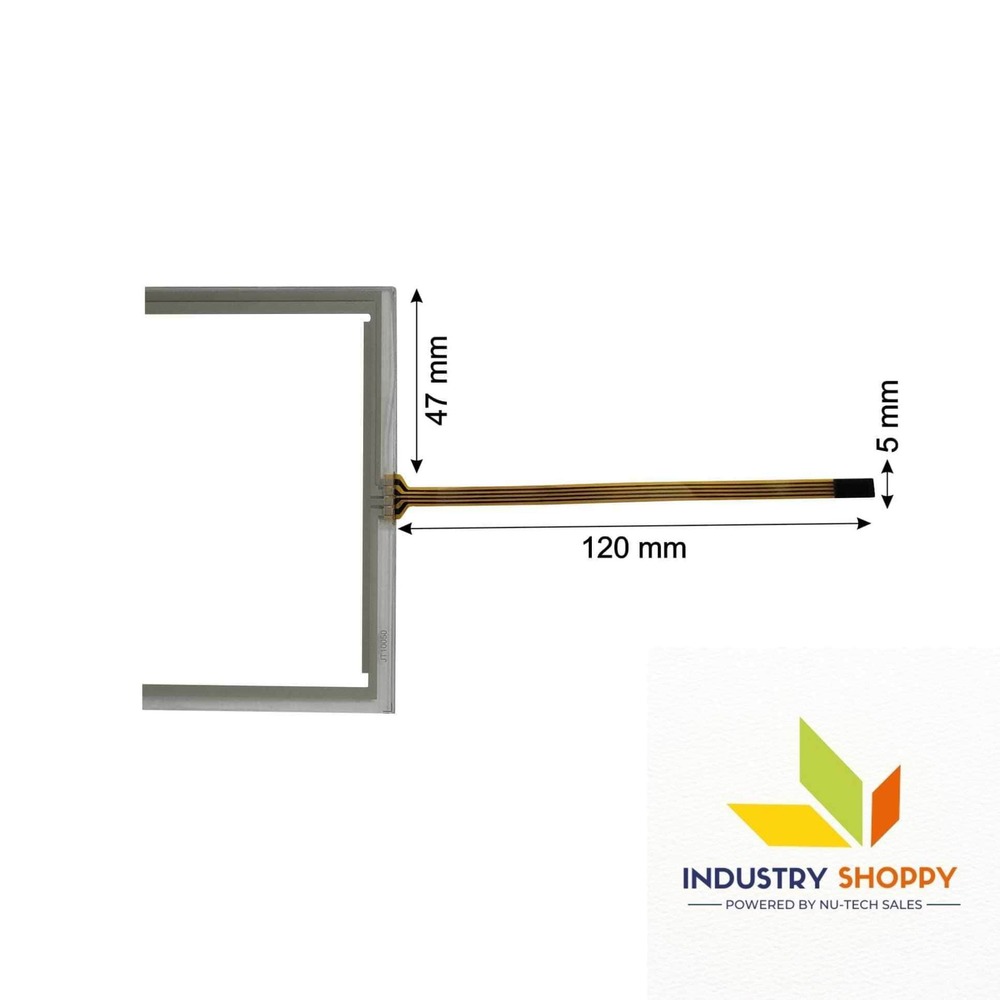
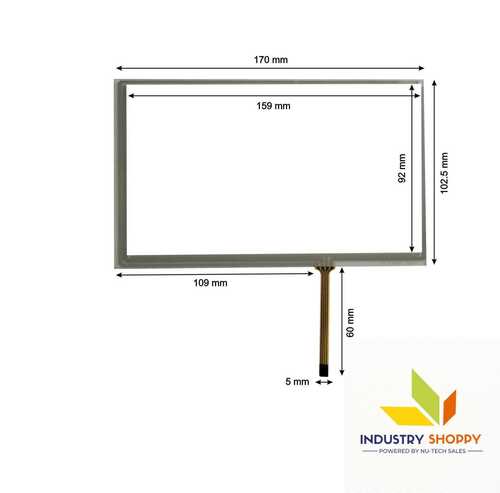
The NTS Touch Screen for Siemens TP177B Mono DP HMI is a high-quality, plug-and-play device designed for seamless integration with compatible systems. Measuring 137 mm in length and 112 mm in breadth, it offers an active area of 170 x 112 mm for precise touch interaction. The Touch Screen for Siemens TP177B Mono DP HMI features a wire length of 120 mm and a wire width of 05 mm, making it ideal for installations where space is a consideration.
With 04 pins, it ensures easy connectivity without requiring additional components. This model is perfect for use in environments where quick setup and durability are essential. It is fully compatible with the Touch Screen for Siemens TP177B Mono DP HMI system and does not require any additional drivers, offering hassle-free operation.
Whether for industrial or commercial applications, this touch screen delivers reliable and responsive performance, ensuring excellent user experience.
| Model Number | TP177B Mono DP |
| Make | NTS |
| Length | 137 mm |
| Breadth | 112 mm |
| Active Area | 11991 |
| Wire length | 120 mm |
| Wire width | 05 mm |
| Connector | |
| Number of Pins | 04 |
Please Note: Make sure to connect the wire safely without damaging the pins of the touch. Before removing the protective film, please make sure your touch screen is working perfectly and calibrated. Please handle the touch screen with caution as it is a fragile product.
Caution: Open the parcel carefully. We advise to make a video of the opening of the box. In case of physical damage, we need a video evidence for claim & replacement.
All trademarks and trade names used on this site are the property of their respective owners. They are used solely for identification purposes and do not imply any endorsement or affiliation with our company.
Durable and Reliable Industrial Solution
Built to endure challenging industrial environments, this touch screen boasts a strong glass build and is resistant to wear. Its robust design ensures consistent performance, reducing downtime and maintenance costs. Each unit is rigorously tested to guarantee durability and a long operational lifespan.
Effortless Installation and Seamless Integration
Designed with easy installation in mind, the touch screen matches standard sizes for Siemens TP177B Mono DP HMI, enabling quick setup. This compatibility simplifies integration with existing systems, streamlining upgrades or replacements for industrial automation.
Clear Display and Efficient Operation
The screen delivers sharp and clear visuals, even in demanding workspaces. High efficiency is achieved through responsive touch interactions and minimal lag, empowering operators to work swiftly. The user-friendly interface optimizes industrial workflows, contributing to productivity gains.
FAQ's of Touch Screen for Siemens TP177B Mono DP HMI:
Q: How do I install the Touch Screen for Siemens TP177B Mono DP HMI?
A: The touch screen is designed for straightforward installation. Simply align it with the standard fitting for the Siemens TP177B Mono DP HMI and secure it using the existing mounting options. A step-by-step guide is typically provided to ensure a smooth setup process.Q: What are the benefits of using this touch screen in industrial applications?
A: This touch screen offers robust durability, clear visual performance, and a highly responsive touch interface. Its long lifespan and reliable design make it ideal for continuous industrial operations, reducing the frequency of maintenance and replacements.Q: When should I consider replacing the existing HMI touch screen?
A: You should replace the touch screen if you notice reduced touch sensitivity, frequent display issues, or visible cracks in the glass. Regular checks ensure consistent performance and minimize unexpected downtimes.Q: Where can I purchase or source the Touch Screen for Siemens TP177B Mono DP HMI?
A: This product is available through multiple channels, including dealers, distributors, exporters, importers, manufacturers, retailers, and wholesalers. Many suppliers, particularly those based in China, offer quick delivery and excellent after-sales support.Q: What is the process for claiming the warranty?
A: In case of any issues, you can contact your point of purchase-such as the dealer or distributor. Provide the warranty card and proof of purchase to initiate the claim process, and support will be offered according to the warranty terms.Q: How do I maintain the touch screen for optimal performance?
A: Regularly clean the glass surface using non-abrasive materials and avoid exposure to liquids or sharp objects. Periodic inspections will help maintain clear visibility and touch precision over the product's long service life.
Price:
- 50
- 100
- 200
- 250
- 500
- 1000+

Other Products in 'Industrial Touch Panel' category

- Basement Floor, Plot No. 32, Pocket-03, Sector-A5, Narela,Delhi - 110040, India
- Phone : 07971190906
GST : 07APDPK0290A1ZH
- Mr Sanjeev Kumar (CEO)
- Mobile : 07971190906
- sales@industryshoppy.in
- Industrial LCD Module
- Industrial Cooling FAN
- Industrial Touch Panel
- Industrial Membrane Keypad
- Resistive Touch Screen
- IR Touch Overlay
- HMIs & PLC Modules
- SAW Surface Wave Touch Screen
- Touch Monitors
- Safety Light Curtains
- Rotary Encoder
- Ac Drive
- Gear Head
- Gear Motor
- Servo Drive & Servo Motor
- Speed Controller
- Protective Sticker
- Temparature Controller
- Color Mark Sensor
- Photoelectric Sensor
- Proximity Sensor
- Contrast Sensor
- Medical Equipment & Sensors
- Slot / Gap / Label Sensor
- Digital Pressure Sensor
- Laser Distance Sensor
- Fibre Optic Sensor
- Inductive Proximity Sensor
- Area Sensor
- Fork Sensor
- Diffuse Sensor
- Magnetic Sensor
- Ultasonic Sensor
- Safety Door Switch
- Door Switch

 Send Inquiry
 Send SMS
 Call Me Free
Developed and Managed by Infocom Network Private Limited.

